For contractors and developers

Construction, from the site diary to the balance sheet.

Stark ERP: Construction runs your projects, sites and purchasing. Stark People pays your staff, and Stark Accounts keeps the books, GST and TDS. One login for the office and the site.

Stark ERP: ConstructionStark PeopleStark Accounts

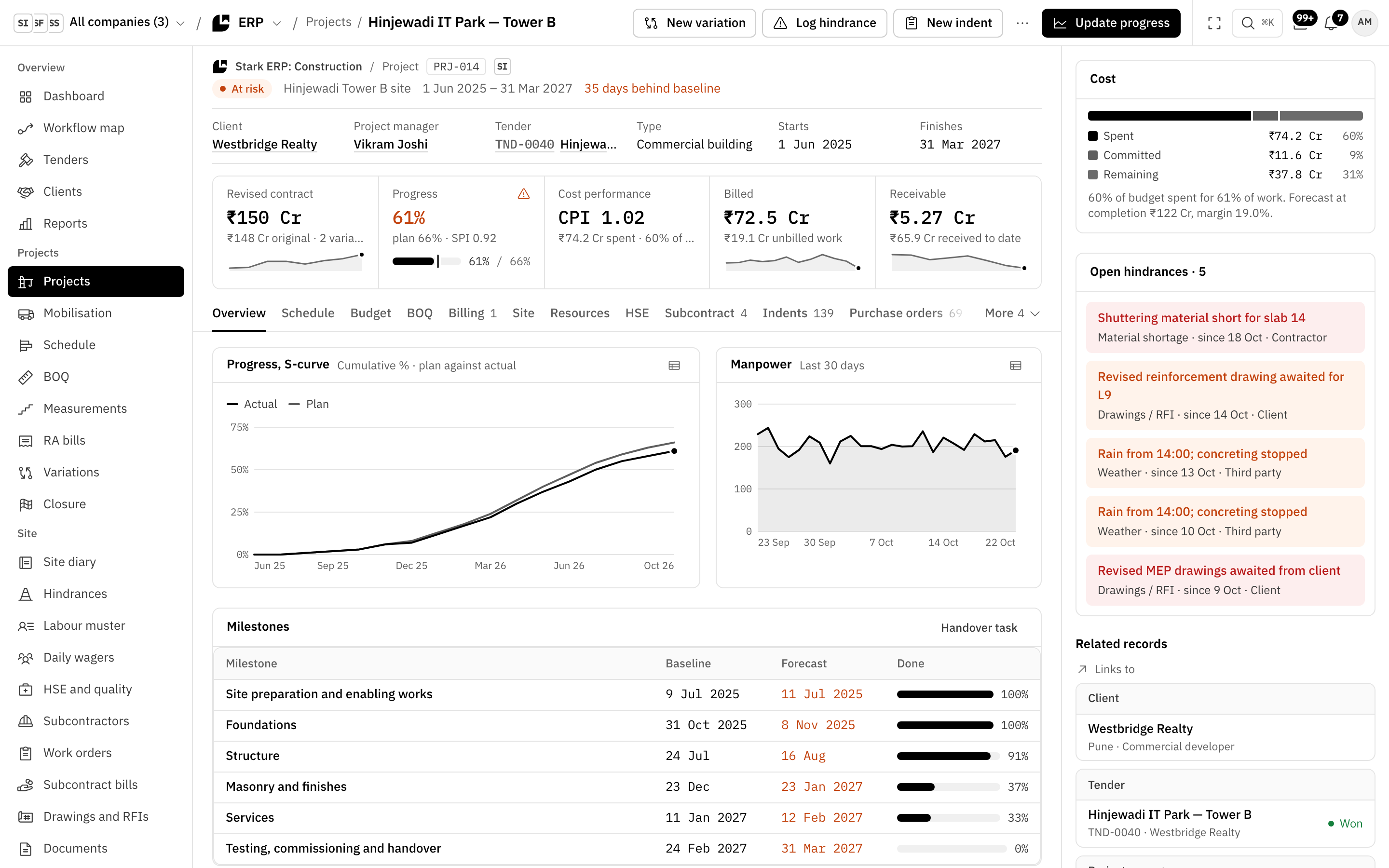
Project PRJ-014 in Stark ERP: revised contract, progress against plan, CPI, billed and receivable, and the S-curve of planned and actual progress.

Where the week goes

Six jobs every contractor knows, done in one system.

Each one below is a real screen in Stark ERP: Construction. The ones that move money post to Stark Accounts without anyone retyping them.

Site diary

Know what happened on every site today.

Today
Site updates arrive on WhatsApp late at night, and nobody can say how many workers were on site.
With Stark
Site engineers keep the site diary, labour muster and hindrances for their project in Stark ERP. Manpower charts itself, and a site that hasn’t sent its daily report shows up as an alert on your dashboard.
Project PRJ-014 in Stark ERP: manpower on site over the last 30 days, and open hindrances such as rain stopping concreting and revised drawings awaited from the client.

Indents

Indents that find the right item the first time.

Today
Site asks for “12 mm steel”, stores buys the wrong grade, and the item master has five spellings of it.
With Stark
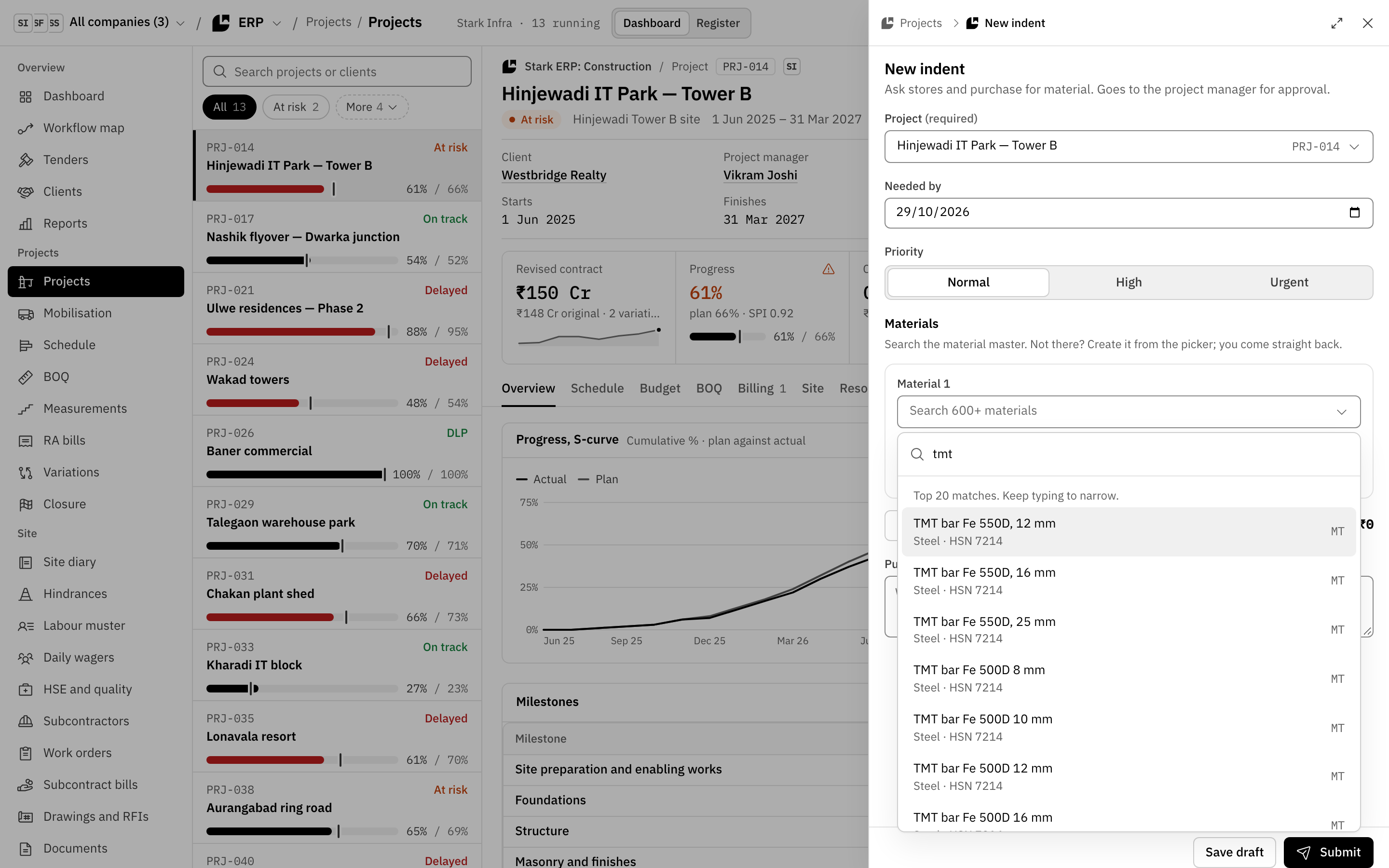
A new indent searches the material master as you type, with grade and HSN code. If an item isn’t there, create it from the picker and come straight back. The indent goes to the project manager for approval.
A new indent in Stark ERP for Hinjewadi IT Park, Tower B: the material search finds TMT bars by grade, with an offer to create a material that isn’t there.

Procure to pay

Pay a vendor only when the bill, the PO and the GRN agree.

Today
Vendor bills get paid for material that never reached the site, or reached it short.
With Stark
Receive goods against the purchase order to make the GRN, then record the vendor’s invoice. The bill is 3‑way matched and booked in Stark Accounts, then approved and paid. The PO’s chain shows every step.

Petty cash

Site petty cash with a limit, a custodian and a top-up.

Today
Site cash runs out on a Saturday, and the vouchers reach the office a month later.
With Stark
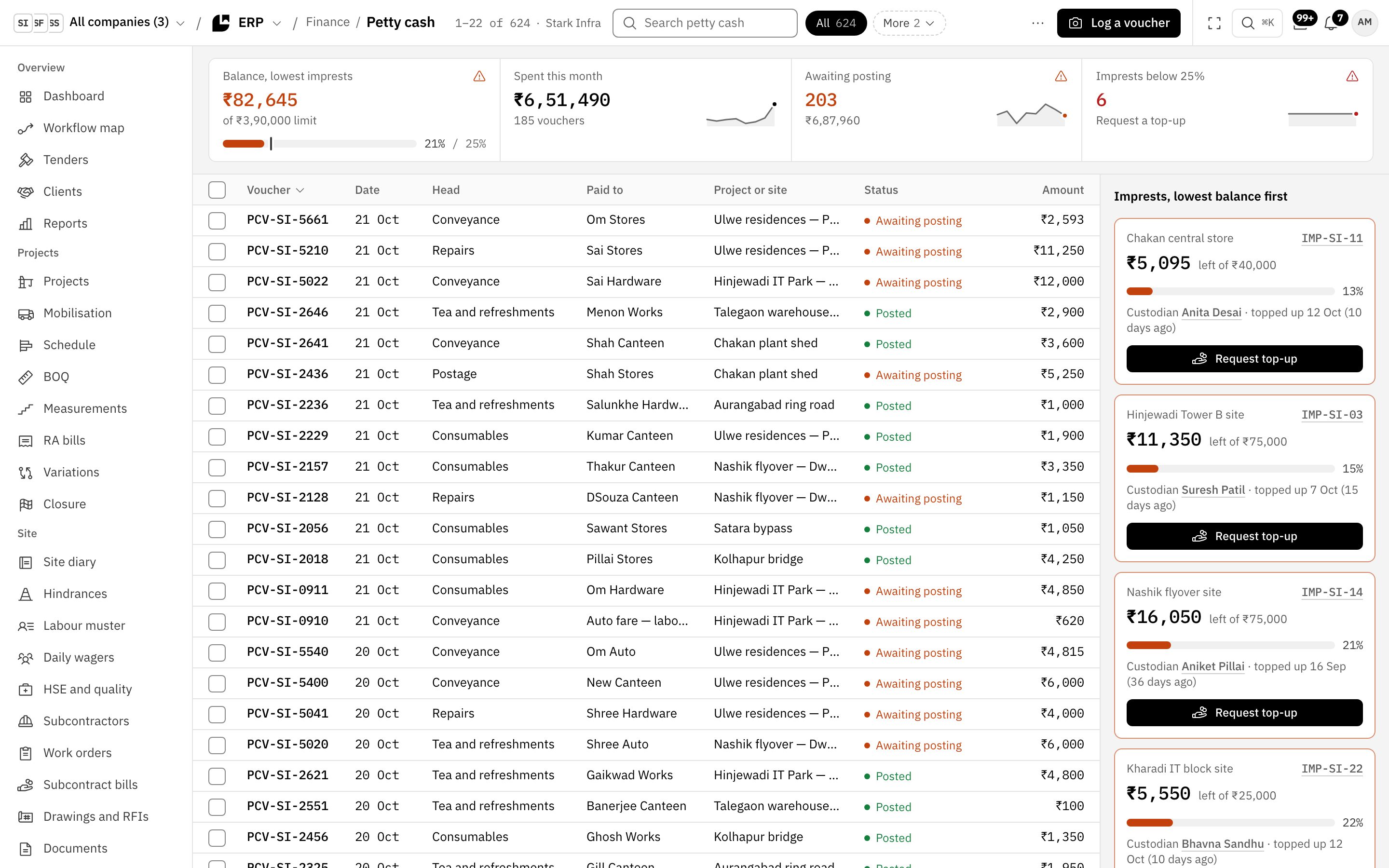
Each site has an imprest with a limit and a custodian, who logs vouchers on site. A top‑up request is approved in Stark Home and transferred from Stark Accounts, and the balance is back at its limit.
Petty cash in Stark ERP: vouchers awaiting posting, and each site imprest with its balance, limit, custodian and a Request top-up button.

RA bills

Every RA bill: claimed, certified, invoiced.

Today
Running bills sit with the client for weeks, and nobody knows what was claimed, certified or received.
With Stark
Raise an RA bill for the project, submit it to the client and record the certification. Post it to Stark Accounts and it becomes the receivable invoice, which points back to the RA bill.
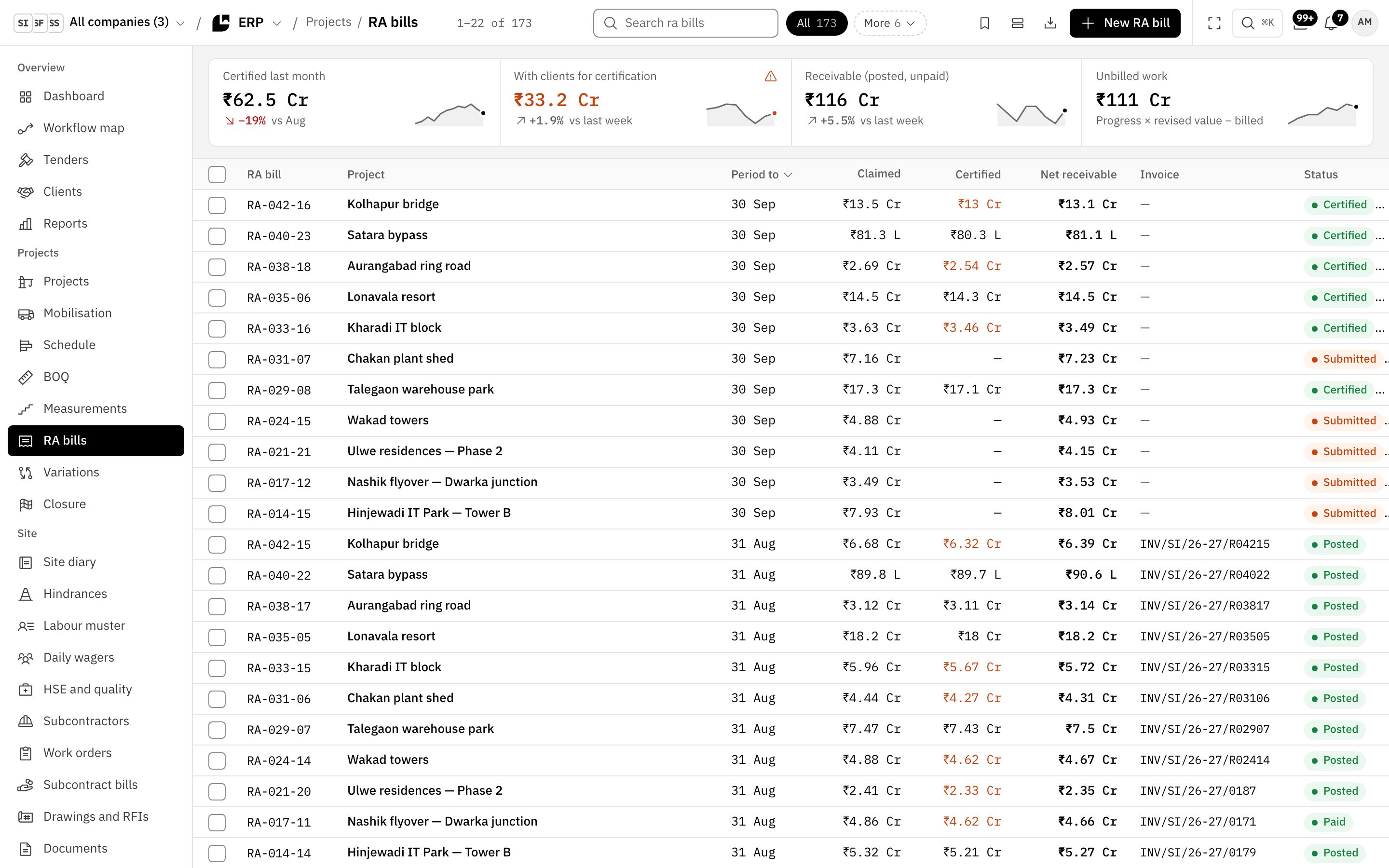
RA bills in Stark ERP: certified last month, with clients for certification, receivable and unbilled work, then each bill’s claimed, certified and net receivable amounts and its invoice.

Project cost

See which projects are slipping before the client does.

Today
You find out a project is over budget when the quarter’s accounts close.
With Stark
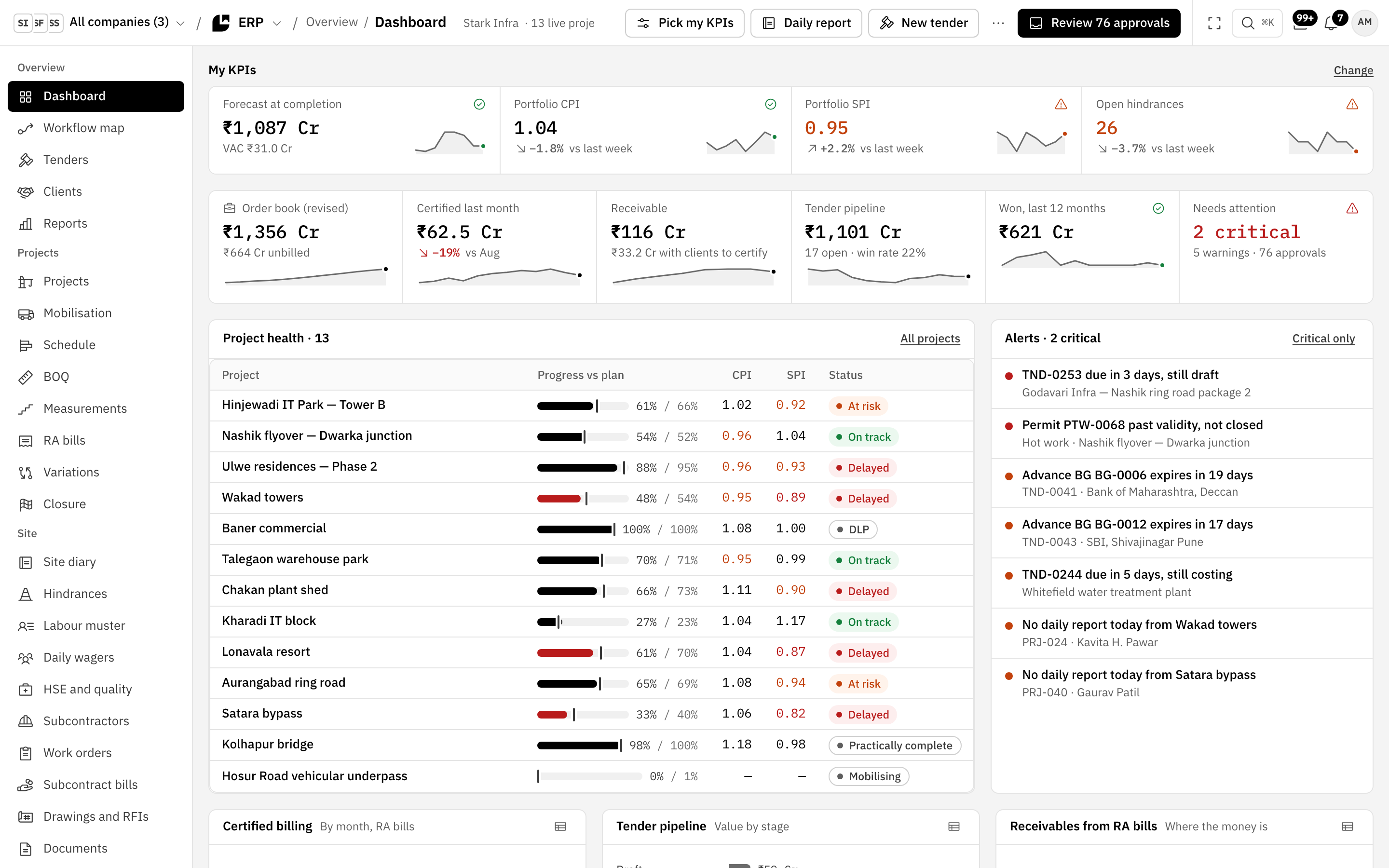
Every project shows its cost against budget, its S‑curve of planned and actual progress, and its CPI and SPI. The ERP dashboard lists every project’s progress against plan, CPI, SPI and status in one table.
The Stark ERP dashboard: forecast at completion, portfolio CPI and SPI, open hindrances, and project health with each project’s progress against plan, CPI, SPI and status.
The S-curve of project PRJ-014: cumulative actual progress against plan since June 2025.

Plus your people and your books

Pay your people and keep your books in the same stack.

Stark People and Stark Accounts run on the same companies and people as Stark ERP: Construction. RA bills, vendor bills, imprests and payroll post into the books, so your accountant isn’t keying in the site’s work.

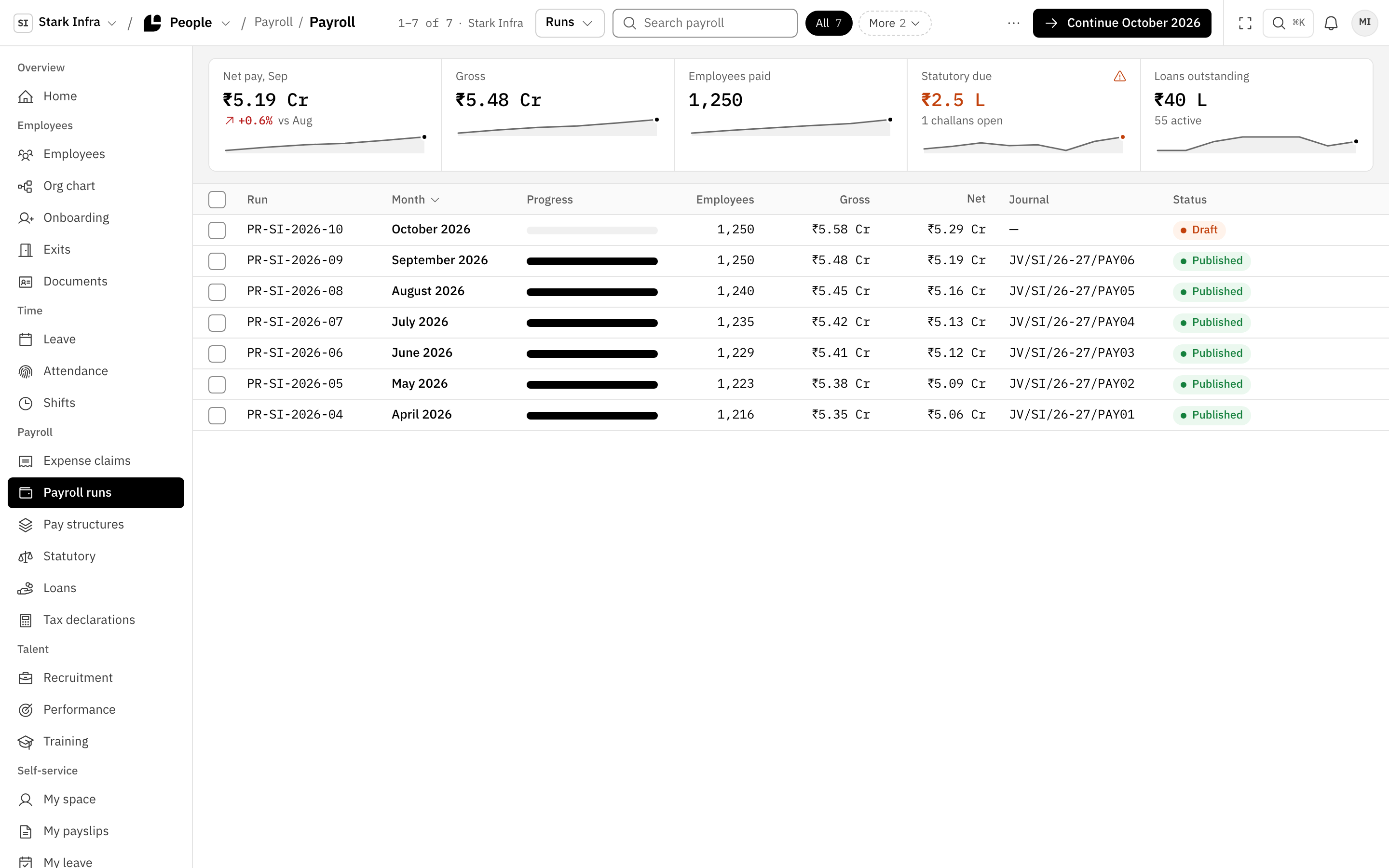
Payroll runs in Stark People: net pay for September, the October run in draft, and each locked month with its salary journal.

Stark People

Your staff, their leave and their pay.

  • Employees, leave, attendance and shifts for every company in the group.
  • Monthly payroll runs. A locked run posts its salary journal to Stark Accounts.
  • Payslips, leave balances and expense claims in each person’s own space.
  • Claims approved in Stark Home and paid from Stark Accounts.
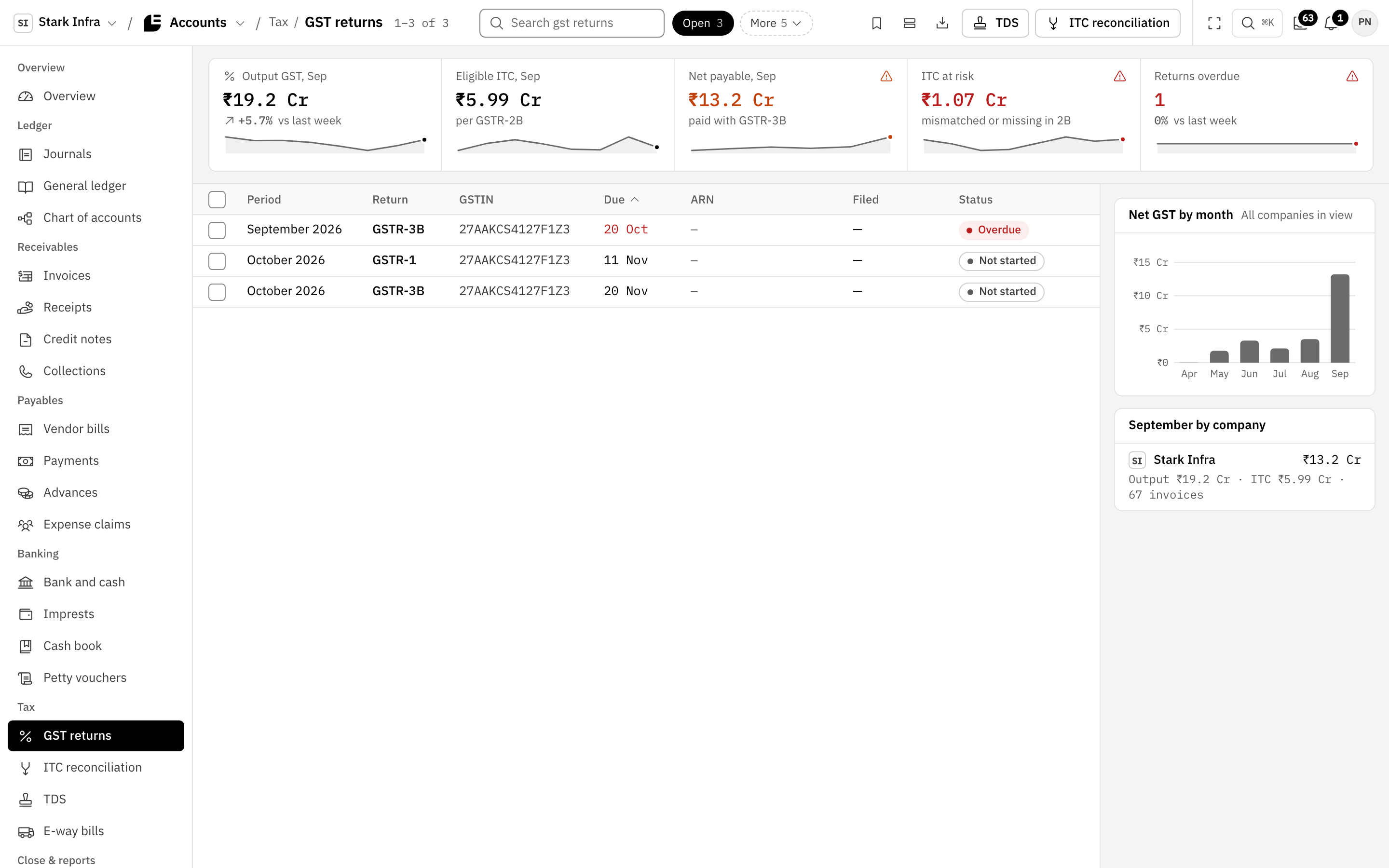
GST returns in Stark Accounts: output GST, eligible input credit, net payable and credit at risk, with the September GSTR-3B overdue.

Stark Accounts

Your books, GST and TDS, fed by the ERP.

  • RA bills become receivable invoices, and 3‑way matched vendor bills are booked.
  • GST returns, input credit reconciliation and TDS.
  • Bank and cash, site imprests and the month-end close checklist.
  • Tally export, one way, with any drift found in Tally listed for you.

Group companies

Buy from your own group company, then eliminate it.

When a project needs steel from your group’s fabrication company, the approved PO drafts a mirror sales order there. Fabrication confirms it, dispatches and raises the intercompany invoice, the buyer’s bill is booked, and consolidation eliminates the trade.

Your site engineer posts on the same thread, but sees only a summary of the other company’s order.

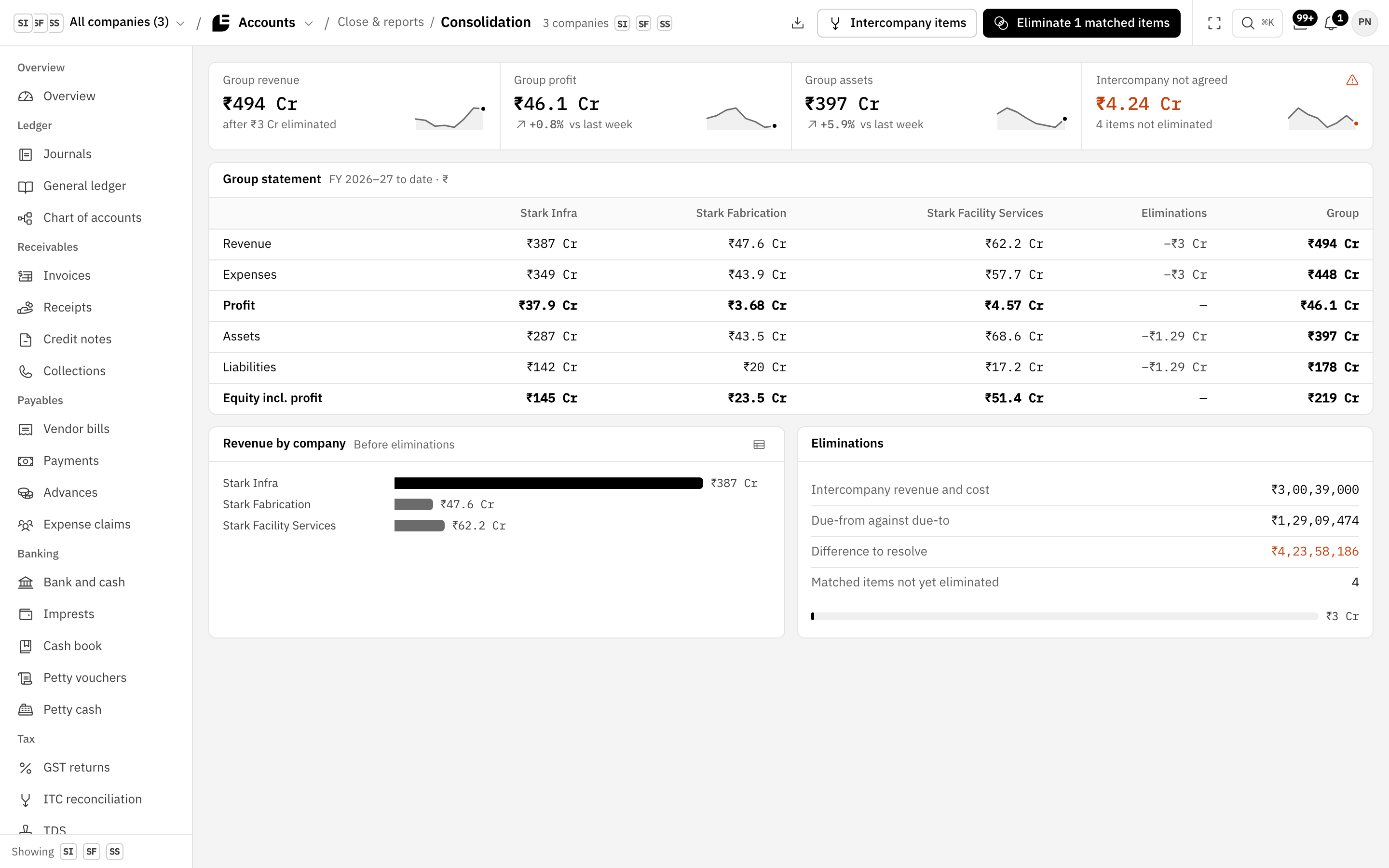
Consolidation in Stark Accounts: group revenue after intercompany elimination, and a group statement with each company, the eliminations and the group total.

See your projects run on Stark.

A 30-minute walkthrough on your industry’s flows, with your questions answered on the call.

Book a demo