The apps

All the Stark apps, on one login.

Platform apps that every company gets, and business apps you switch on per company. They share one sign‑in, one shell and the same records.

Every company gets these

Platform

Sign-in, the home screen, administration and the people directory. Four apps that sit under every other one, so each business app starts with your people, your companies and your approvals in place.

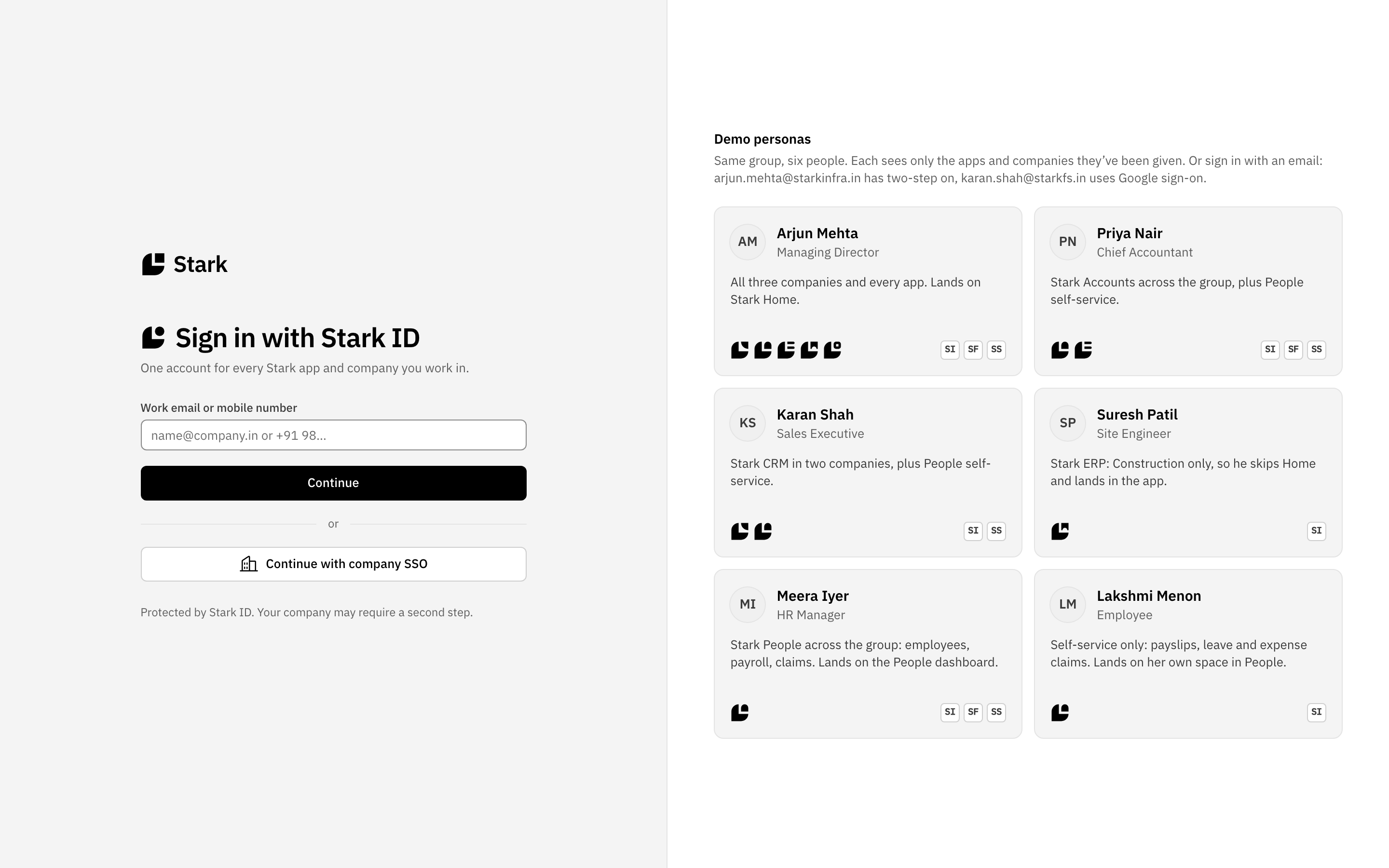
The Stark ID sign-in page: work email or mobile number, Continue, and Continue with company SSO.

Stark ID

One sign-in for every app and every company you work in.

  • Sign in once with your work email or mobile number.
  • Two-step sign-in with a six-digit code, or Google sign-on.
  • Each person sees only the apps and companies they have been given.
  • People land where they work: Stark Home, their own space in People, or straight into the ERP.
  • Every user has a profile page of their own.
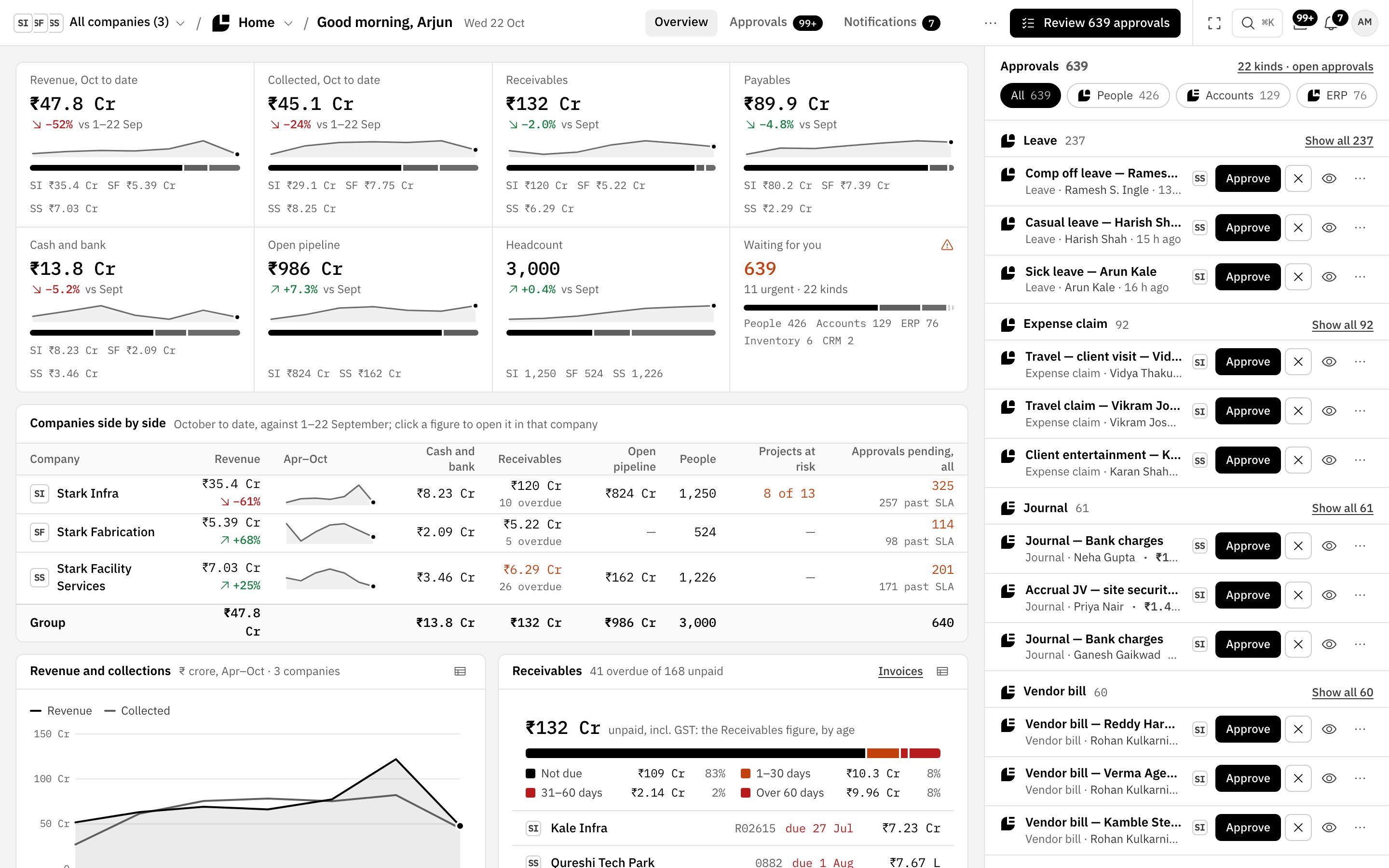
Stark Home for the group: revenue, receivables and headcount across three companies, and the approvals inbox with 639 requests grouped by kind.

Stark Home

The group dashboard and one approvals inbox for every app.

  • KPIs for the whole group, with every company side by side.
  • One inbox for leave, expense claims, journals and vendor bills, grouped by kind.
  • Approve a claim or an imprest top-up here and it moves on to Stark Accounts.
  • The company switcher narrows every figure to one company, or shows the group.
  • ⌘K search across apps, the launcher, a sidebar that folds to icons, and focus mode.
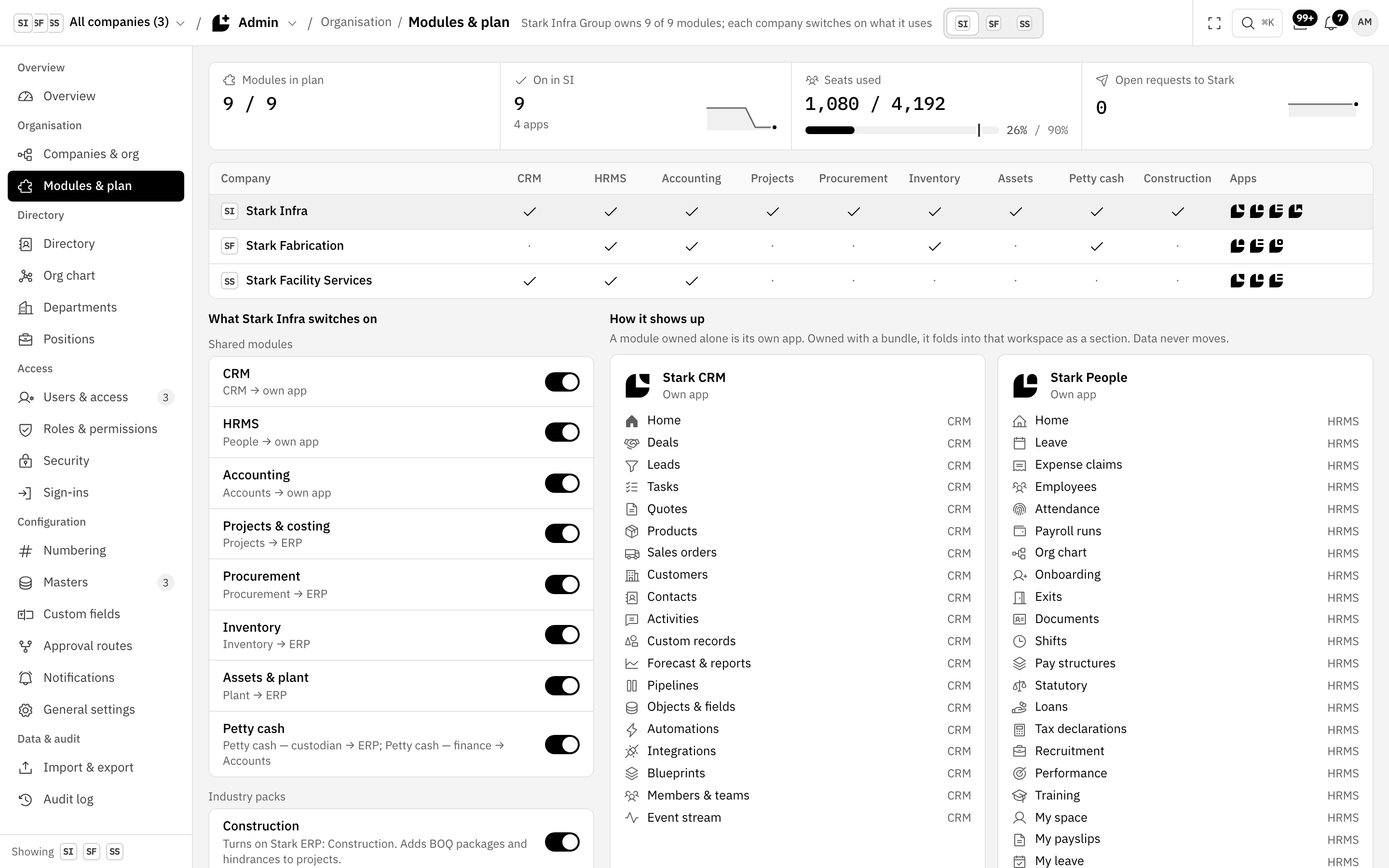
Stark Admin, Modules & plan: a grid of three companies against nine modules, with toggles for what Stark Infra switches on.

Stark Admin

Switch modules on per company, and decide who can do what.

  • A company-by-module grid: switch CRM, HRMS, Accounting, Inventory and more on for each company.
  • Switch a module off and the launcher changes at once. Flows say why a step is skipped.
  • See how each module folds into an app, or runs as its own.
  • Users and access, roles and permissions, and approval routes.
  • An audit log across the suite.
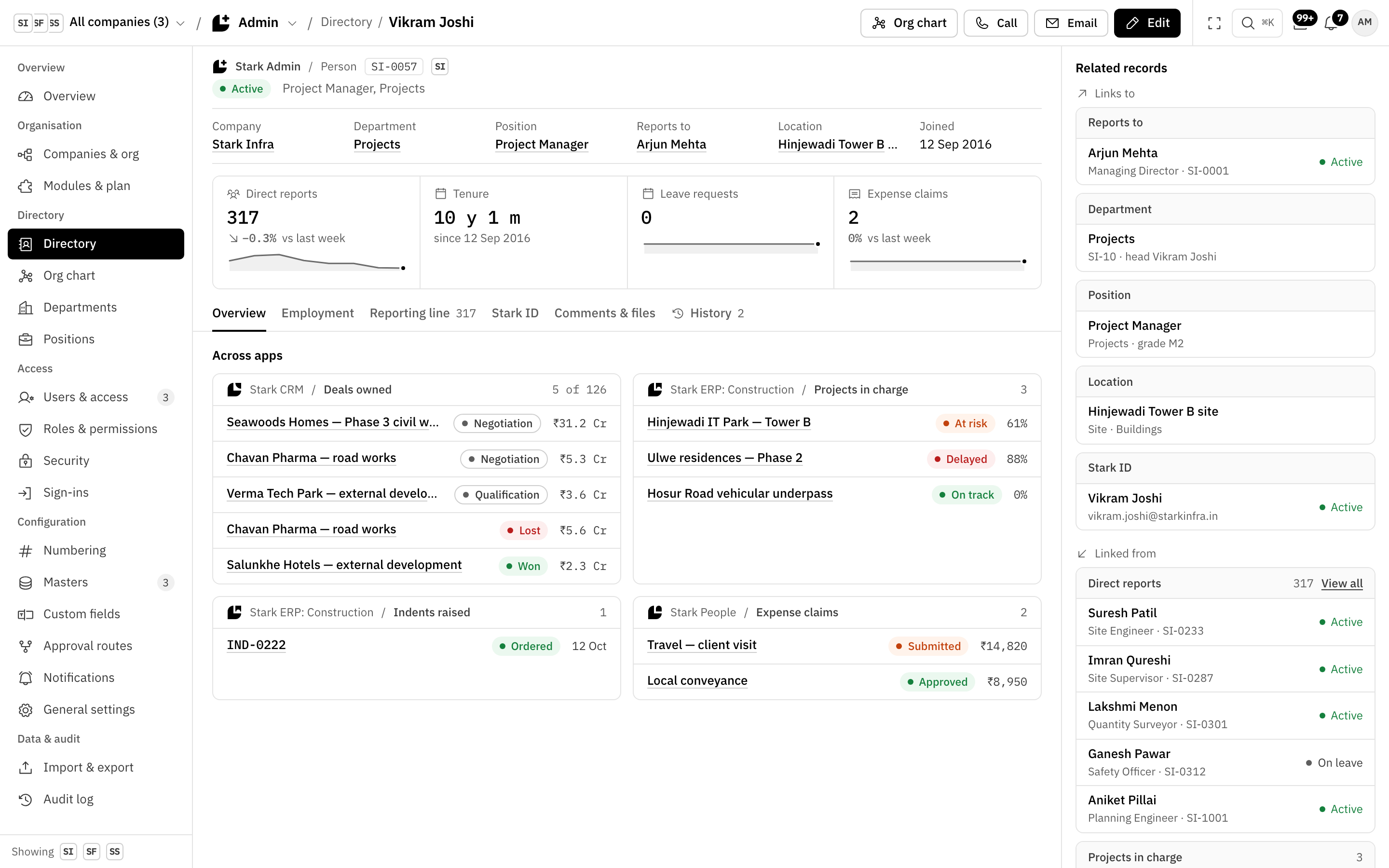
Vikram Joshi’s Stark Directory record: company, department, position and manager, and across apps his deals owned in Stark CRM, his projects and indents in Stark ERP and his expense claims in Stark People.

Stark Directory

Everyone in the group, once. Every app links to the same person.

  • One record per person, shared by every app and every company.
  • Click a name anywhere, such as who raised an indent, and their record opens.
  • The record shows their work in other apps, such as the deals they own in Stark CRM.
  • Records open as layers over your work, and the URL keeps the stack.
  • Any layer expands to a full page.

Stark CRM

Leads, deals and quotes, on pipelines, objects and fields you set up.

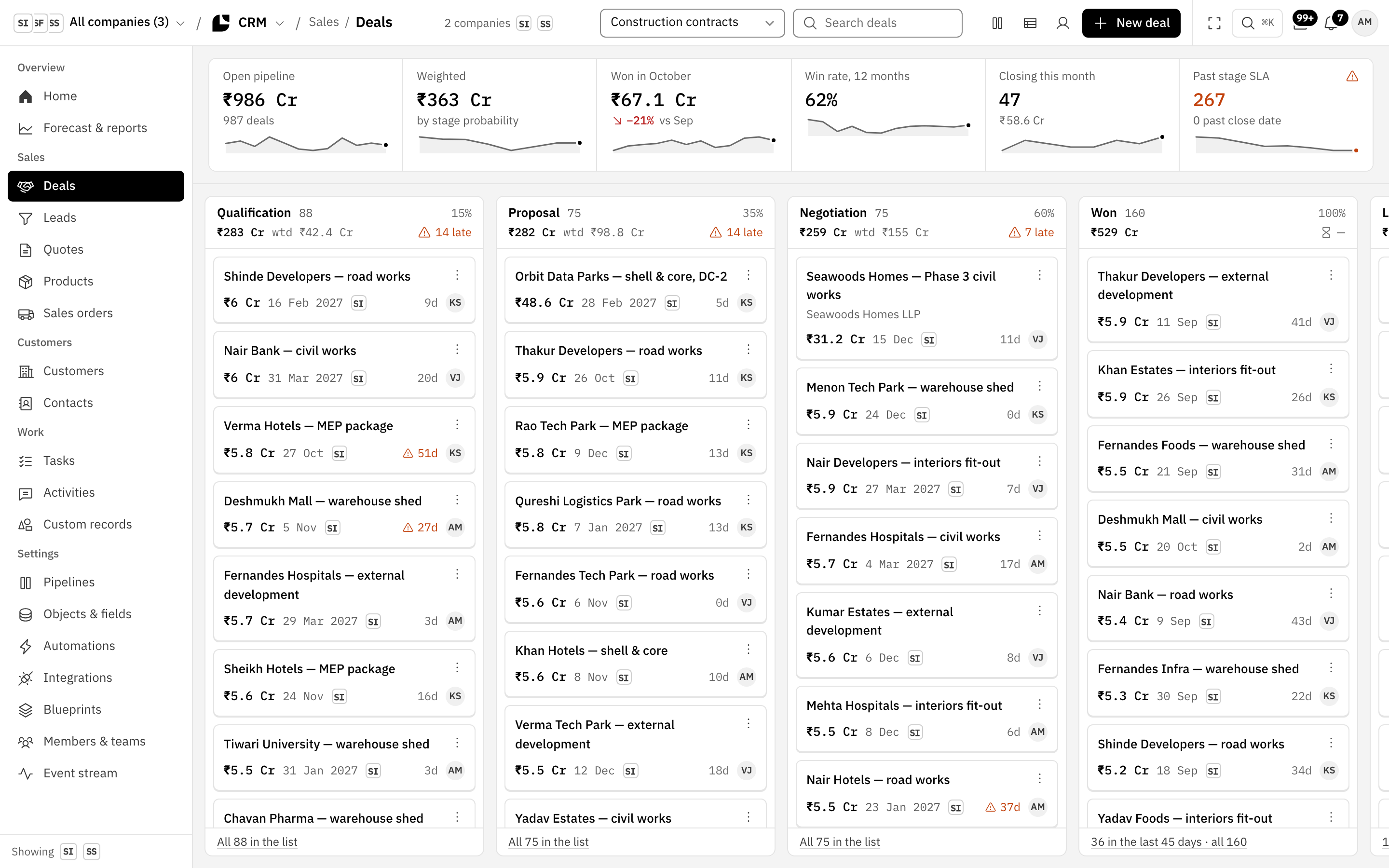
  • A deal board with stage totals, SLA flags and a weighted pipeline.
  • Lists built for volume: a filter builder, a column chooser, saved views and inline edit.
  • Quotes in versions. When the customer accepts, the sales order is raised in Stark ERP.
  • A document flow that follows the deal to delivery, the tax invoice and the receipt.
  • Your own pipelines, objects and fields, automations and an event stream.
  • Sales people see their own deals, quotes and tasks.
Stark CRM deal board: Qualification, Proposal, Negotiation and Won, with stage totals, weighted values and late flags.

Stark People

Leave, attendance, payroll and claims, from joining to exit.

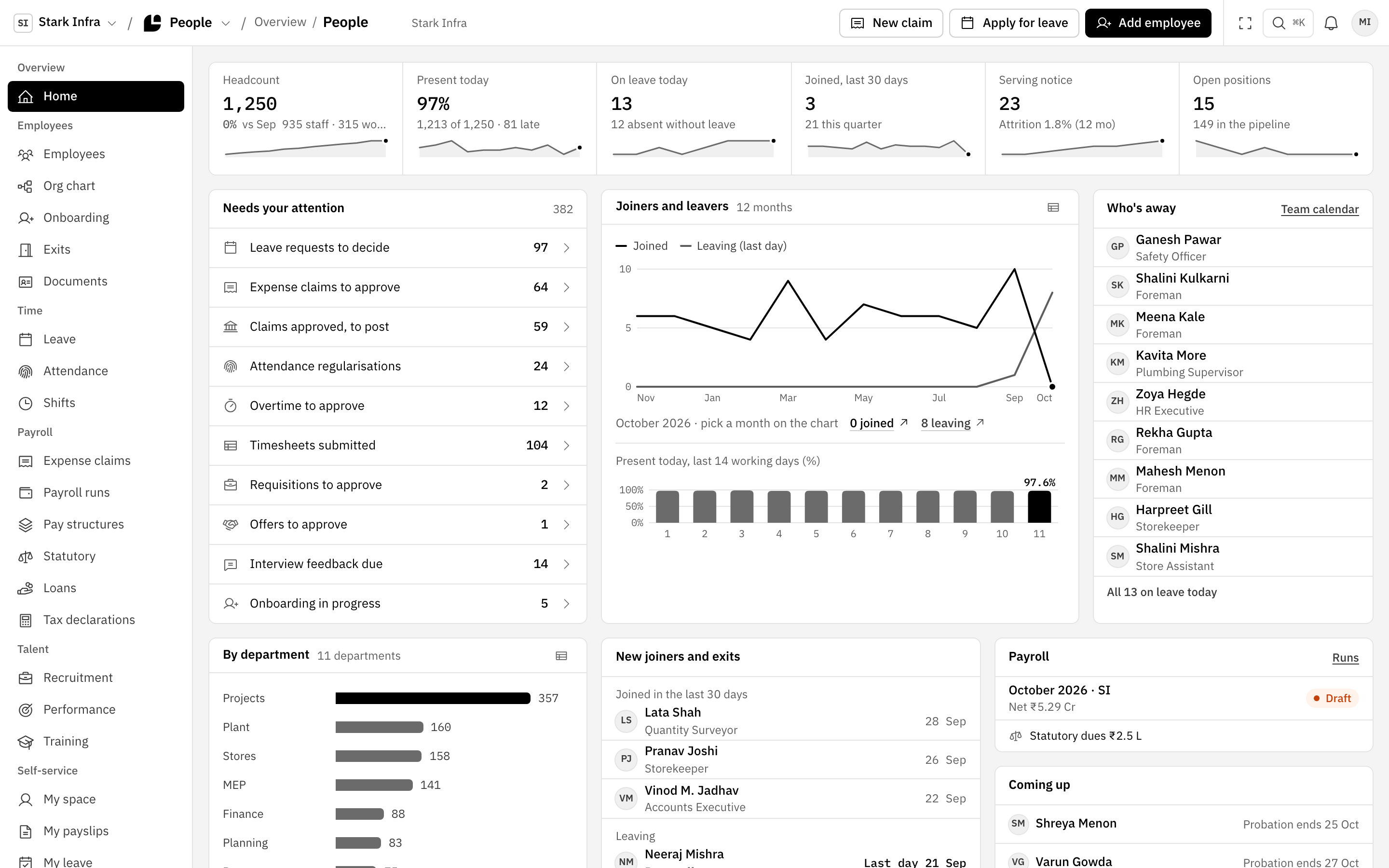
  • An employee register that stays quick with thousands of people in it.
  • Leave and attendance, with balances each person can see.
  • Payroll runs month by month. A locked run links to its salary journal in Stark Accounts.
  • Expense claims with receipts, approved in Stark Home and paid from Stark Accounts.
  • Onboarding and exits, recruitment, performance and training.
  • Self-service: payslips, leave, attendance and claims in each person’s own space.
The Stark People dashboard: headcount, present today and on leave, what needs attention, joiners and leavers, and who is away.

Stark Accounts

The books for every company: GST, TDS, the close and group consolidation.

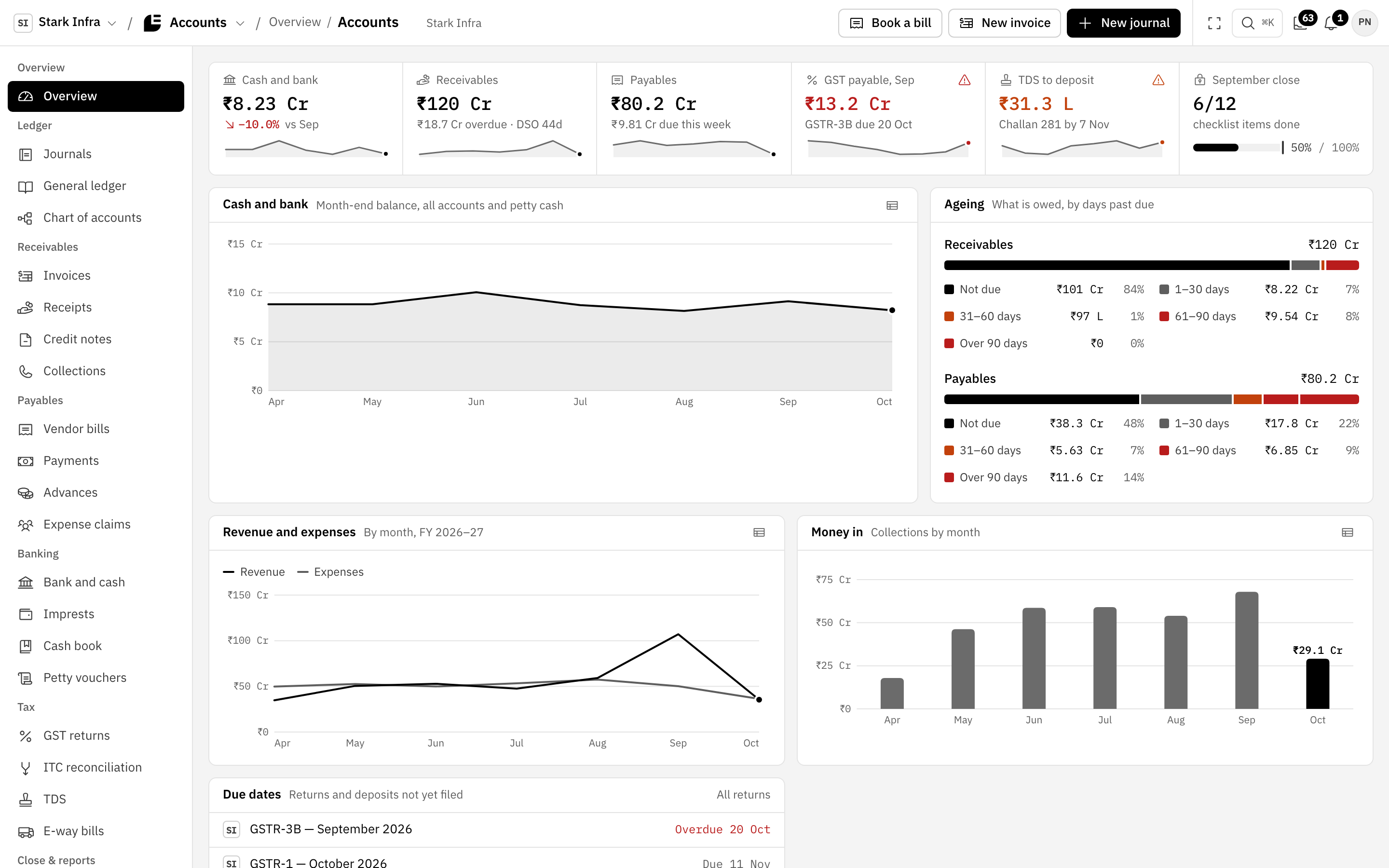
  • An overview of cash, ageing, GST and TDS due, and the close checklist.
  • A journal register of thousands of vouchers, with a split detail pane.
  • Receivables, payables, bank and cash, and petty cash imprests.
  • GST returns and TDS for each company.
  • Intercompany due-to and due-from, eliminated in consolidation.
  • One-way Tally export. Drift found in Tally is listed for re‑export or acceptance.
The Stark Accounts overview: cash and bank, receivables, payables, GST payable, TDS to deposit and the September close, with ageing and cash charts.

Stark ERP

Projects, procurement and billing, built industry by industry, starting with construction.

  • A portfolio dashboard with CPI, SPI, project health and alerts.
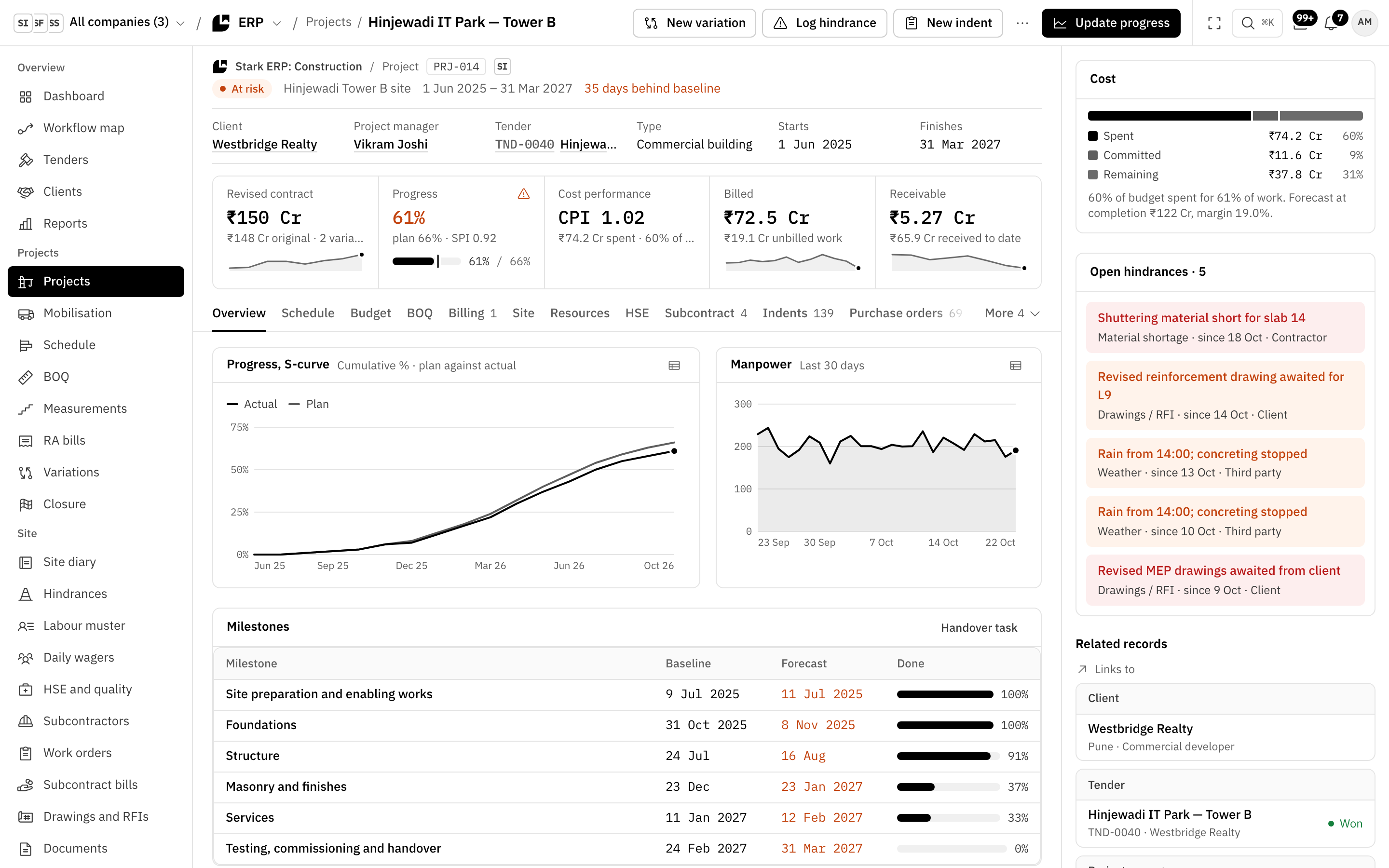
  • Each project with its cost panel, S-curve, milestones and hindrances.
  • Site diary, labour muster, indents and measurements, kept from site.
  • Purchase order, goods receipt and a 3-way matched bill, booked in Stark Accounts.
  • RA bills to your client: submit, record certification and post to Stark Accounts.
  • Site petty cash imprests, topped up through Stark Home and Stark Accounts.

Editions

  • Stark ERP: ConstructionFirst edition
  • Stark ERP: ManufacturingComing later
  • More industriesComing later
Stark ERP: Construction for your business
Stark ERP: Construction, project PRJ-014 Hinjewadi IT Park, Tower B: the cost panel, S-curve, milestones and open hindrances.

Stark Inventory

Stock and stores for a company that doesn’t run the ERP.

  • Runs on its own for a company that doesn’t need the full ERP.
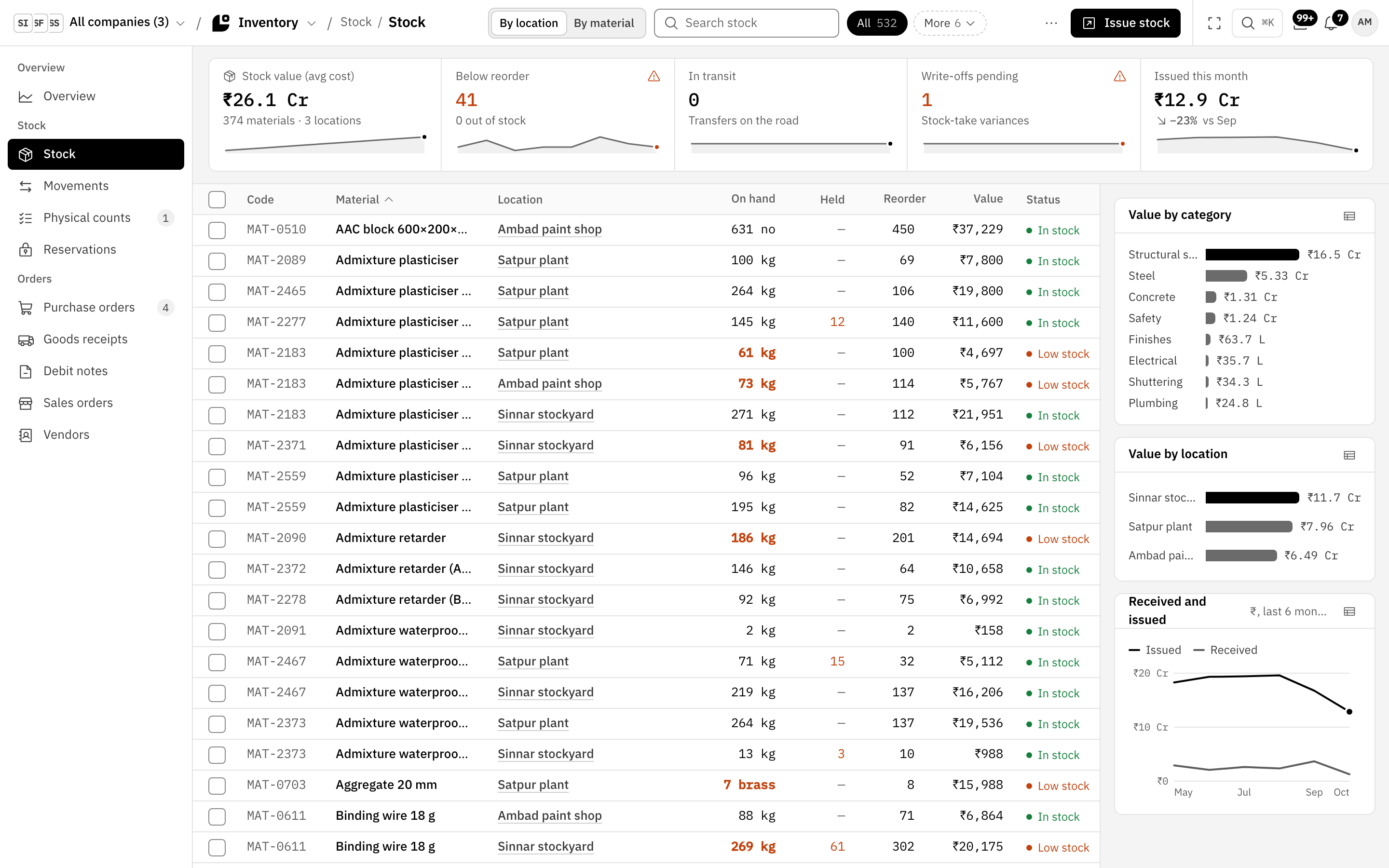
  • Stock by location or by material, with reorder levels and low stock flagged.
  • Purchase orders and goods receipts, with the vendor bill booked in Stark Accounts.
  • Sells to the rest of the group: confirm the mirror order, dispatch, raise the intercompany invoice.
  • Switch on Stark ERP later and it folds in as a section. The data never moves.
Stark Inventory stock list across three locations: on hand, held, reorder level, value and status, with value by category and by location.

Under the apps

How the apps connect

Sign-in, the people directory, approvals, search and the audit log live once, in the Stark kernel. Every app reads the same people, customers and ledgers, so nothing is copied between them.

See Stark run on your own flows.

A 30-minute walkthrough on your industry’s flows, with your questions answered on the call.

Book a demo